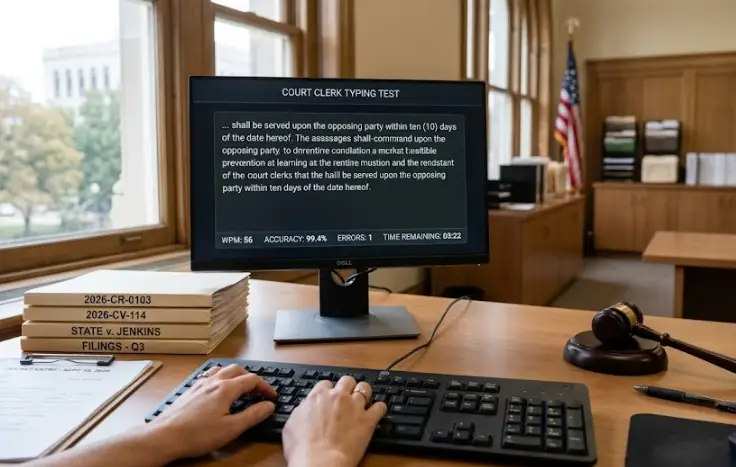
If you are thinking of taking a typing test for a USAJOBS application, it may feel stressful, especially when a federal job offer rides on hitting that strict 40 Net WPM mark. If you are applying for General Schedule positions marked with (Office Automation)—like GS-0318 Secretary or GS-0303 Clerical Assistant—this simulator matches the pacing, duration, and error penalties used across federal hiring agencies.
Test Complete!
CPM: 0
Save Your Progress!
Log in or create an account to save your test results, track your history, and join the leaderboard.
No records yet. Be the first!
If you want to build steady muscle memory before taking your official agency test, run daily drills with our core typing practice engine to lock in your rhythm, cut down on typos, and become a faster typist.
Table of Contents
OPM Standards: What You Need to Qualify
The Office of Personnel Management (OPM) keeps its clerical benchmarks consistent across civilian branches, whether you are applying to the VA, Department of the Army, or Social Security Administration. To see how these benchmarks run under official timing rules, you can practice directly on our OPM typing test practice simulator. Here is the breakdown of what federal examiners actually look for:
| Exam Factor | Official OPM Requirement | Smart Target for Applicants |
|---|---|---|
| Minimum Speed | 40 Net Words Per Minute | 50+ Net WPM (cushion for test anxiety) |
| Test Length | 5 continuous minutes | Practice 5-to-10 minute blocks |
| Error Tolerance | Strict deduction (usually ≤3 uncorrected errors) | 98% accuracy or higher |
| Content Style | Official policy, legal codes, and formal memos | Heavy use of capitals, hyphens, and numbers |

Why Federal Typing Tests Trip People Up
Most online typing games measure 60-second bursts using simple everyday words like “cat”, “house”, or “river”. That is not what shows up on a federal clerical test. If your role specifically demands hitting the standard civil service cutoff without penalty drops, spending time on focused federal government 40 WPM drills will help you calibrate for the grading formula. Here is why candidates often get caught off guard:
- The 5-Minute Wall: Typing fast for one minute is easy. Keeping that same speed up for five unbroken minutes without hand cramping or mind drift takes real stamina.
- Net Speed vs. Gross Speed: Federal scoring cares about your final clean score. If you hit 62 Gross WPM but leave five sloppy errors behind, your net score drops straight under the 40 WPM cutoff. That results in an instant failed test.
- Formal Bureaucratic Vocabulary: You will type phrases like “pursuant to regulation,” agency acronyms (OPM, DOD, CFR), dates, and multi-clause sentences. You need to hit punctuation keys cleanly without looking down.
4 Simple Drills to Pass on Your First Try
1. Stop Mashing Backspace
When you make a typo during the exam, scrambling to fix it breaks your rhythm and burns valuable seconds. Train yourself to keep a steady, metronome-like pace rather than bouncing erratically between fast bursts and furious backspacing.
2. Lock in Proper Finger Placement
Speed comes naturally once your hands stay anchored to the home row. If you catch yourself hunting and pecking for keys or glancing down at the board, review structured touch typing techniques to ensure every finger covers its assigned zone automatically.
3. Use a Basic Office Keyboard
If you practice at home on a low-travel laptop or a fancy mechanical board, switch to a standard wired membrane keyboard for a few days. Testing centers use standard government desktop hardware, and getting used to the key travel prevents finger fatigue on exam day.
4. Aim for 50 WPM in Practice
Test nerves are real. You will likely lose 5 to 8 WPM simply if you feel any pressure from the clock and the proctoring environment. If you consistently hit 50 WPM at home, scoring 42 or 45 WPM during the real test becomes an easy win.