To assist you in cracking your desired Federal Government jobs, I am presenting a typing simulator task here. You can use it to improve and feel fully confident about taking the test. Here, we have provided a typing task with real-time results and, at last, an A. I Analysis.
Table of Contents
Master the 40 WPM Federal Government Typing Requirement for USAJOBS
Landing a federal job is tough. Whether you want to be a clerk, administrative assistant, docketing tech, or human resources specialist, you usually have to pass a brutal Office Automation (OA) assessment. Across most USAJOBS listings, the standard benchmark is a minimum typing speed of 40 Words Per Minute (WPM). If you are gearing up for a government role, relying on your casual, everyday texting or typing habits just will not cut it. You will fail the screening.
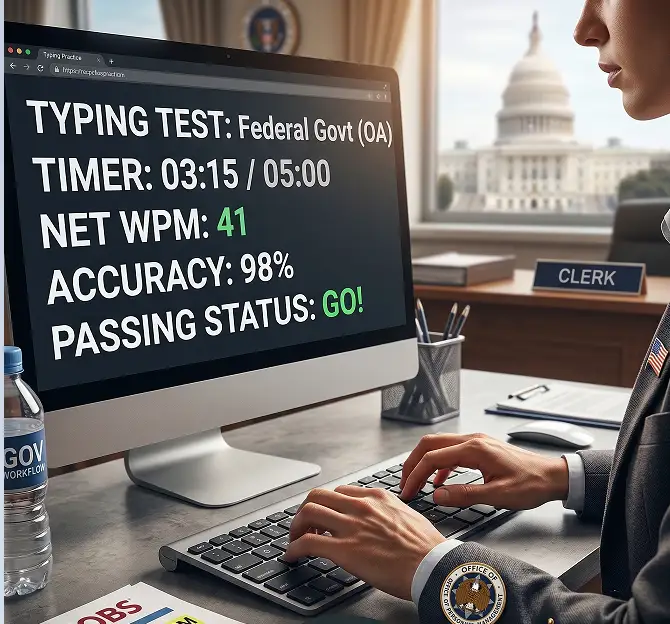
Our Federal Government Typing Practice simulator is built specifically to mimic the exact pacing, stiff formatting, and harsh error penalties you will face during official Office of Personnel Management (OPM) and USAJOBS exams. Building up your muscle memory and stamina right now is the only way to walk into your assessment feeling completely confident.
Use the interactive simulator below. Start your daily training and build the accuracy you actually need to pass your federal exam.
Test Complete!
CPM: 0
Save Your Progress!
Log in or create an account to save your test results, track your history, and join the leaderboard.
| Rank | User | WPM | Accuracy | Attempts | Date |
|---|---|---|---|---|---|
| 1 | Ingrid Bigelow | 30 | 98% | 3 | Oct 9, 2026 |
Understanding the USAJOBS Office Automation (OA) Assessment
When you apply for a federal spot that requires typing skills, raw speed is only half the battle. Government typing exams are famous for their punishing grading rubrics and incredibly stiff testing environments. Here is exactly what you have to know about the format before you ever sit down for the official test:
- Net WPM Dictates Your Score: Official government tests do not care at all about your gross typing speed. Your final score comes entirely from your Net WPM. This subtracts your errors from your overall speed. If you hit 60 WPM but rack up 25 errors, your Net WPM tanks. You could easily miss the 40 WPM requirement. Accuracy means everything.
- The Five-Minute Endurance Test: Forget those quick online tests that wrap up in 60 seconds. Most federal assessments force you to type continuously for a full five minutes. They do this to test your stamina. It is easy to sprint for a minute. Maintaining a steady, flawless rhythm for five minutes requires serious, focused practice.
- Complex, Formal Vocabulary: Do not expect easy, conversational text. Your prompt will throw formal government terms, bureaucratic jargon, weird punctuation, and heavy numerical data at you. You have to be totally comfortable reaching for numbers and special characters without ever glancing down.
Why 40 WPM is the Federal Standard
The 40 WPM baseline is not just a random number they picked. For General Schedule (GS) positions, especially at the GS-4 and GS-5 levels, the government needs employees who can churn through paperwork, draft emails, and handle massive data entry efficiently. Hitting 40 WPM proves you actually know foundational touch typing and do not rely on looking at the keyboard to hunt and peck.
Yes, 40 WPM qualifies you. But you really need to aim for a practice speed of 50 to 55 WPM. Test anxiety is real. Weird, unfamiliar keyboards and dead-silent testing rooms naturally shave about 10 WPM off your normal speed on exam day. Building up a comfortable buffer means you will still clear that critical 40 WPM hurdle even when your nerves kick in.
Essential Techniques to Improve Your Typing Speed
Practicing with actual intent is the fastest way to bump your baseline speed and land that federal job. Stick to these core strategies during your daily sessions:
- Focus on Accuracy over Speed: It sounds backward, but slowing down makes you faster. Hitting the exact right keys consistently builds permanent muscle memory. As your error rate drops, your speed naturally shoots up because you stop wasting time mashing the backspace key.
- Maintain Proper Desk Posture: Ergonomics completely changes your typing endurance. Keep your feet flat. Sit up straight. Keep your wrists hovering slightly above the keyboard. If you rest your wrists heavily on the desk, you restrict your finger mobility, and you will burn out incredibly fast during a five-minute test.
- Establish a Consistent Rhythm: Try to type at an even, flat pace. Do not rush through the easy words only to freeze completely when you hit a hard one. A steady, metronome-like rhythm kills mental fatigue and keeps you locked in a flow state.
The Mistakes which may hurt your result
A lot of applicants fail their USAJOBS typing test. It is not because they are slow. It is because they have terrible testing habits. The biggest trap is “backspace addiction.” In some federal testing rooms, you physically cannot correct errors once you move past a word, or they penalize you heavily for every backspace. You have to train yourself to just keep moving forward if you mess up, rather than panicking and destroying your rhythm.
Also, never look down at your hands. Trust your muscle memory. Every single time you shift your eyes from the monitor down to the keyboard and back up, you lose seconds. Worse, you drastically increase your odds of losing your place in the text block.
Ready for the Real Thing?
Consistent, daily drilling is the only actual way to guarantee you pass your federal clerical exam. Once you spend enough time with the practice tool above, fix your error rate, and feel ready for strict exam conditions, you can take a timed typing test to see exactly where you stand against the real government benchmark.