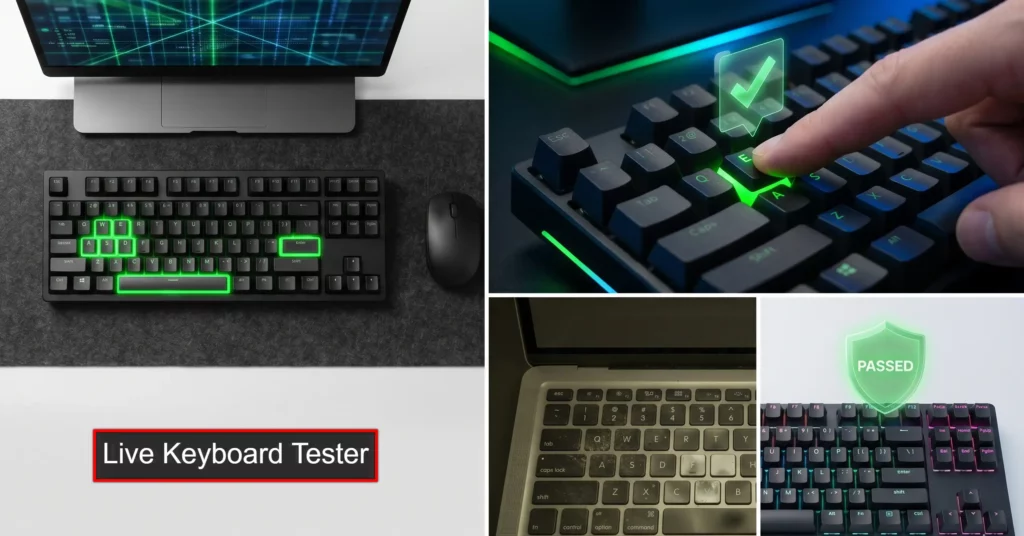
Our Keyboard Tester is the ultimate online tool which let you check its working conditions. Whether you are using a Mac, Windows, or any kind of smartphone. This Live keyboard testing tool is based on a web app, so you don’t need to install any application on your device; you can just test here by pressing on your keyboard. If the keyboard is working fine, it will show you the tick mark animation; otherwise, no response will be shown. We recommend to use to seelct your os in the menu and then full screen for getting best experience.
The Ultimate Keyboard Tester Webapp
Press your keys now and see the effect. If it is working, then you can see the key green backgrounded with the tick mark. Use Full Screen Mode for the best experience.
Whether you are using a Windows PC, a Mac, or a mobile device, use the live visualizer above to test your keyboard online and identify broken keys in seconds.
Common Hardware Issues You Can Detect
Keyboards endure a massive amount of wear and tear. From accidental spills to natural switch degradation, running a diagnostic test can help you identify exactly what is wrong with your peripheral. Look out for these common issues:
- Broken or Dead Keys: If you press a key hard and it does not light up on the screen, the mechanical switch or the underlying membrane circuit is likely dead.
- Keyboard Ghosting: This happens when a keyboard fails to register multiple keys pressed simultaneously. Test your keyboard’s N-key rollover (NKRO) by pressing 4 or 5 keys at the same time to see if all of them turn green.
- Key Chatter (Double Typing): If you tap a key once, but you notice the visualizer flashes multiple times rapidly (or you get double letters in a text document), your switch contacts are likely bouncing improperly.
- Sticky Keys: If a key stays physically pressed down due to dirt or a spill, you will notice it remains highlighted on our tester even after you remove your finger.
Why Test Your Keyboard Online?
Hardware troubleshooting shouldn’t be complicated. By using a browser-based laptop keyboard tester, you eliminate variables. If a key works in our tool but doesn’t work in a specific video game or application, you instantly know you have a software settings issue, not a broken piece of hardware.
You can practice typing for free and get a free typing certification. So you can check –
Free Typing Practice.
Enroll for Typing Certificate.
How to Use This Laptop and Desktop Keyboard Tester
Using our tool is very easy and useful. It listens for the raw input signals sent by your operating system and displays them visually. Here is how to perform a complete hardware check:
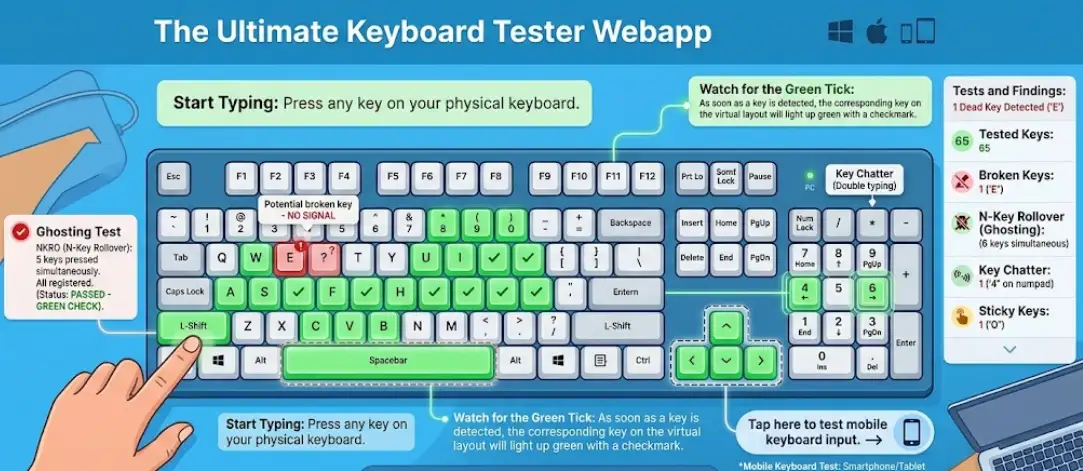
- Start Typing: Press any key on your physical keyboard.
- Watch for the Green Tick: As soon as a key is detected, the corresponding key on the virtual layout will light up green with a checkmark.
- Check All Zones: For a thorough mechanical keyboard test, make sure to test the main alphanumeric block, the function row (F1-F12), the navigation cluster (Arrows, Insert, Home), and the Numpad.
- Mobile Keyboard Test: If you are on a smartphone or tablet, click the ‘Tap here to test mobile keyboard input’ link to activate your digital touchscreen keyboard.
Frequently Asked Questions (FAQ)
What is keyboard ghosting, and how do I test for it?
Keyboard ghosting happens when a keyboard fails to register multiple keys pressed at the same time. You can use our online keyboard tester to check your N-key rollover (NKRO) by pressing 4 to 6 keys simultaneously. If all keys light up on the screen without any being dropped, your keyboard has true anti-ghosting.
Why are some keys typing double letters?
This hardware issue is known as “key chatter.” It usually happens when the mechanical switch under the keycap is dusty, damaged, or degrading. If you tap a key once but our live keyboard checker registers multiple rapid inputs, you likely need to clean or replace that specific mechanical switch.
Do I need to download any software to check my keys?
No. Our free key test is completely web-based and secure. It runs instantly in your browser on Windows, Mac, and mobile devices without requiring any risky downloads or software installations.